Draft and sign
proposalsquotescontractsorder formsNDAsSOWsproposals
direct from your CRM.
S-Docs builds your quotes, contracts, and other mission-critical documents from your live deal data, routes them for signature, and syncs everything back to your CRM — audit trail and all.
Our newest AI agents reduce the amount of time needed to deploy templates from hours and days down to just minutes. Try it now.
Requires invite code
Convert Templates in Minutes not days
Create and send any document - just upload your existing PDF. You get a great looking template, ready to send in minutes — not hours or days. Your logos, colors, fonts, layouts, and styling are retained—so your templates stay consistent with your brand. .
Map Dynamic CRM Data Automatically
S-Docs automatically identifies {{the variables and maps them}} to right Salesforce or HubSpot fields. When you generate a document, it fill in the customer, company, deal, and contact data from the record. You get personalized documents for each customer without having to copy and paste record details into every PDF.
Put Forms and Signatures in the Right Place
S-Docs detects where your customer needs to sign, initial, or complete a field, then adds the right signature and form fields, so your template is ready to collect the details you need.
Complex documents?
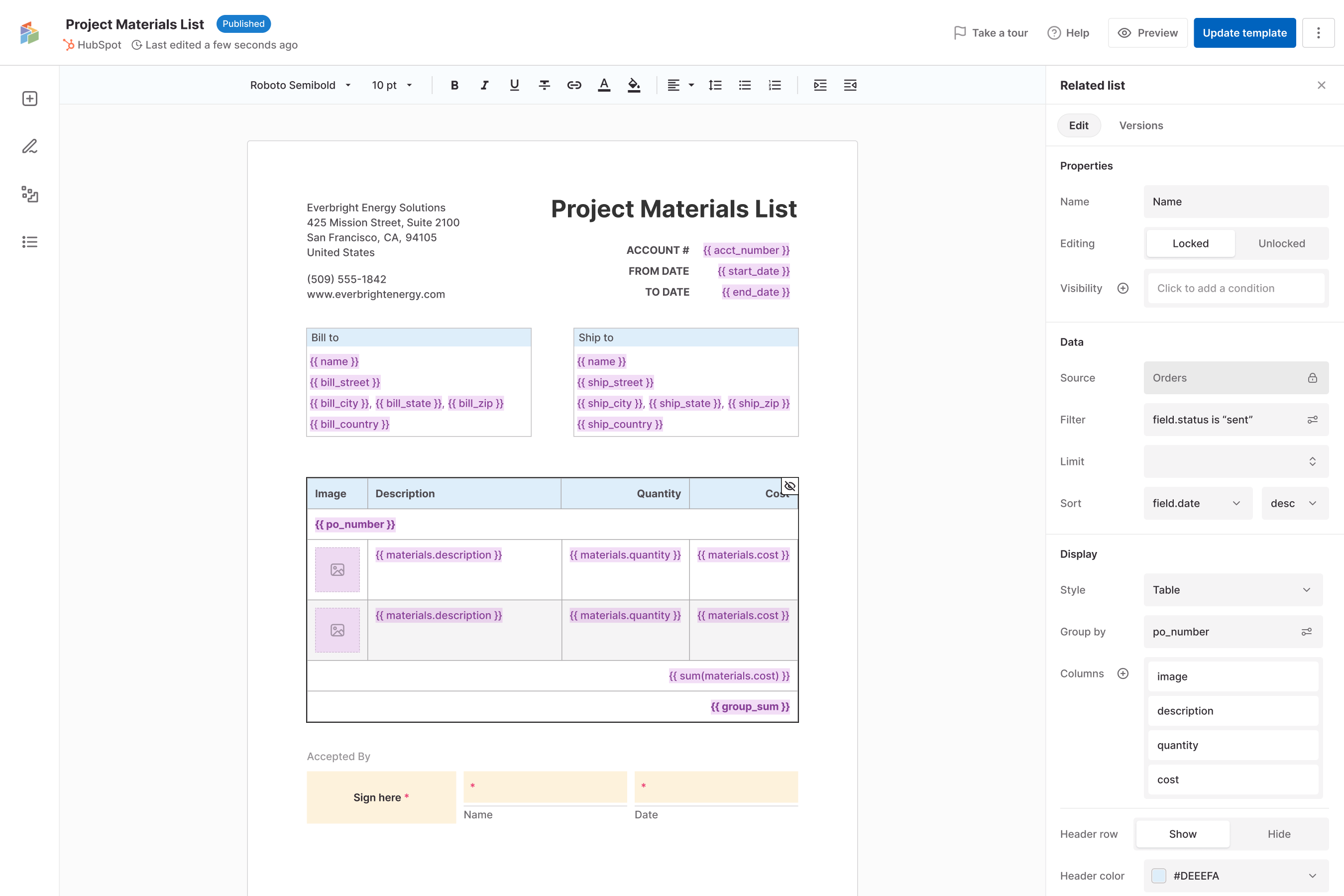
S-Docs detects Related lists and configures them for you making it easy to generate invoices and other data driven documents. apply conditional logic with Our easy to use editor makes creating robust templates as easy as pointing and clicking - no code, no developer queue.
How it works
From the deal record to a signed document — in three steps.
Connect
Every template pulls straight from the HubSpot record that owns the data — deals, contacts, companies, line items, and your own custom objects. No exports, no copy-paste, no stale data.
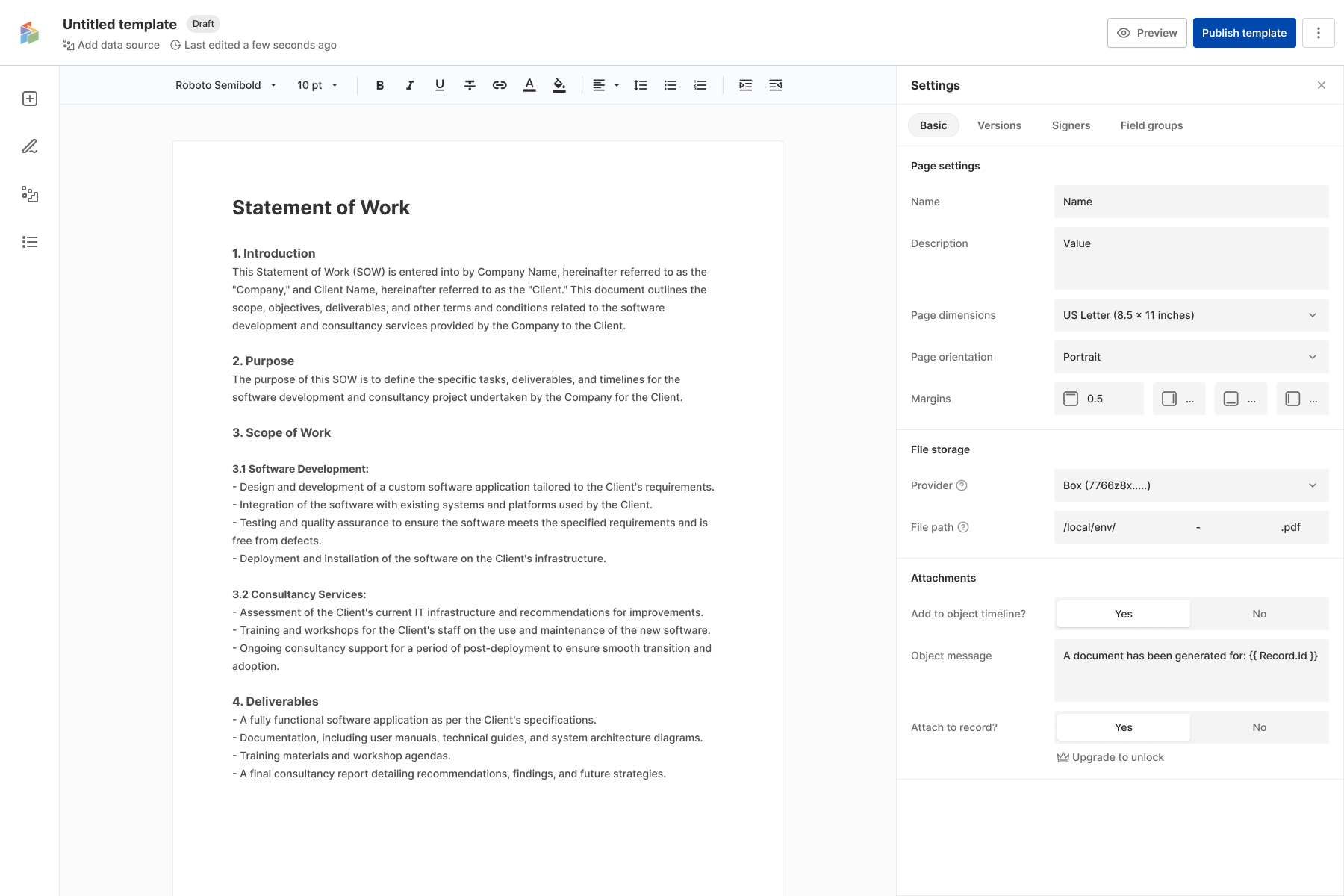
Build a template once in a drag-and-drop editor. Merge fields, conditional logic, and your branding render automatically against live deal data — no code, no developer queue.
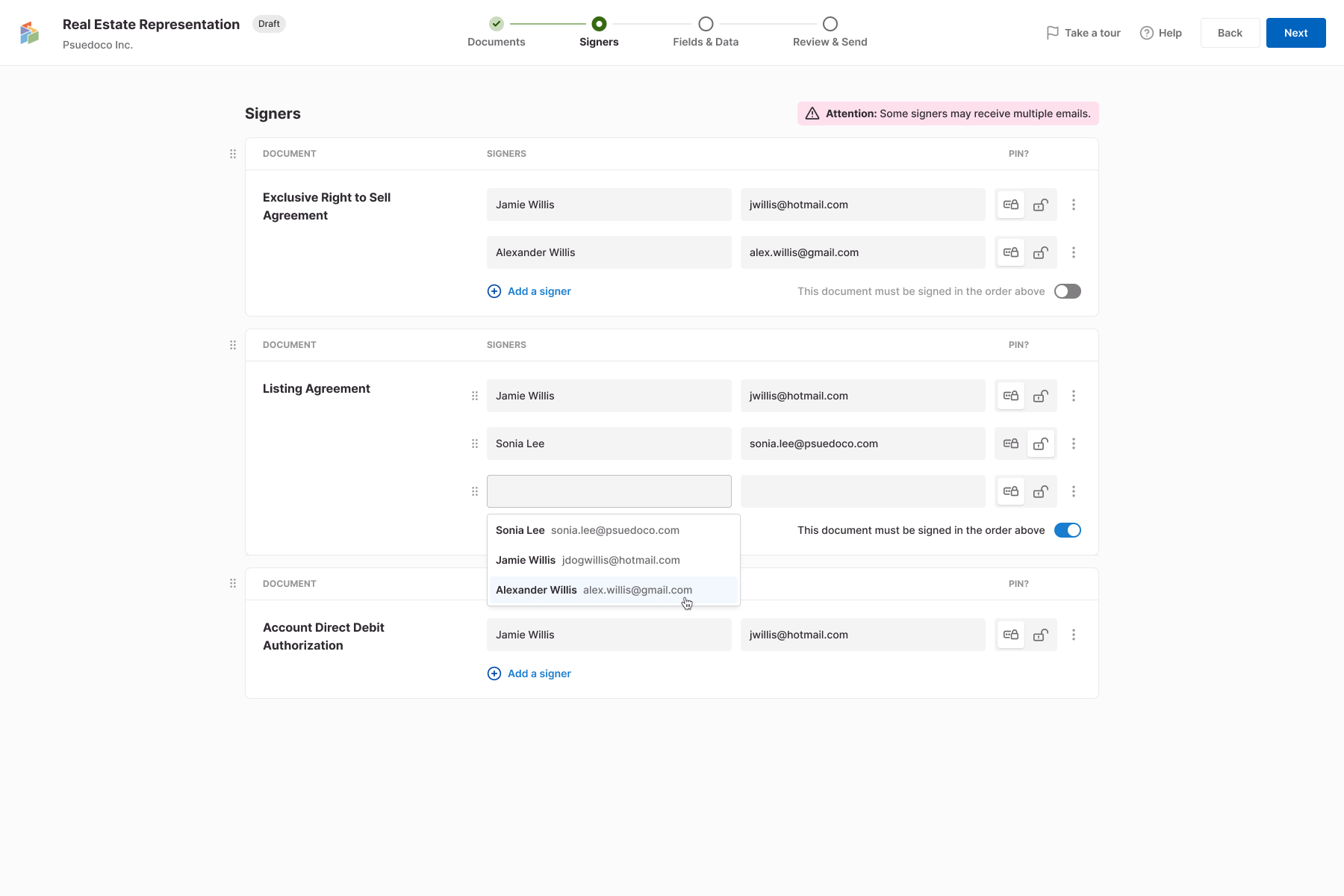
Send for signature, route signers in the order your deal needs, and file the signed PDF back to the record automatically — with a full audit trail attached.
Every document is built, signed, and filed inside HubSpot — drawn from live records, designed in a drag-and-drop editor, routed for signature, and tracked end to end, without leaving the CRM your team already runs on.
The workflow
The document workflow, built into your CRM.
Create, manage, sign, and sync the documents that move your business forward—all from the records your team already relies on.
Edit with clicks
Build a template once in a drag-and-drop editor. Merge fields, conditional logic, and your branding render automatically against live deal data — no code, no developer queue.
If you need to make edits, our easy to use editor has you covered - no coding required!
Audit trail
We keep a detailed record of what was sent, opened, signed and more, and every template change or document generation is logged and auditable. Your team can see what was sent, what was completed, and what information was collected—all alongside the CRM records they already use.
On-brand templates
Create and send any document - just upload your existing PDF. You get a great looking template, ready to send in minutes — not hours or days. Your logos, colors, fonts, layouts, and styling are retained—so your templates stay consistent with your brand. .
CRM-connected
S-Docs adds the document-and-signature process to your CRM. Start a proposal from a deal, an invoice from a company, or a contract from a contact record. S-Docs fills your document templates with live CRM data, so every document begins with the right information.
Work together
Share a document the way you'd share a Google Doc — scoped per document to view, comment, or edit. Outside collaborators — your counsel, a partner, the client — open it with a link: no account to create, no seat to buy. Every edit is tracked to the person who made it, so you always know who changed what, and when.
Sync back
The moment it's signed, the signatures, dates, and every field your signer filled in land on the HubSpot properties you choose — and the finished PDF files to the deal record and your connected storage. From there your HubSpot workflow takes over: advance the stage, fire a notification, kick off whatever comes next.
Connect to the tools that run your business.
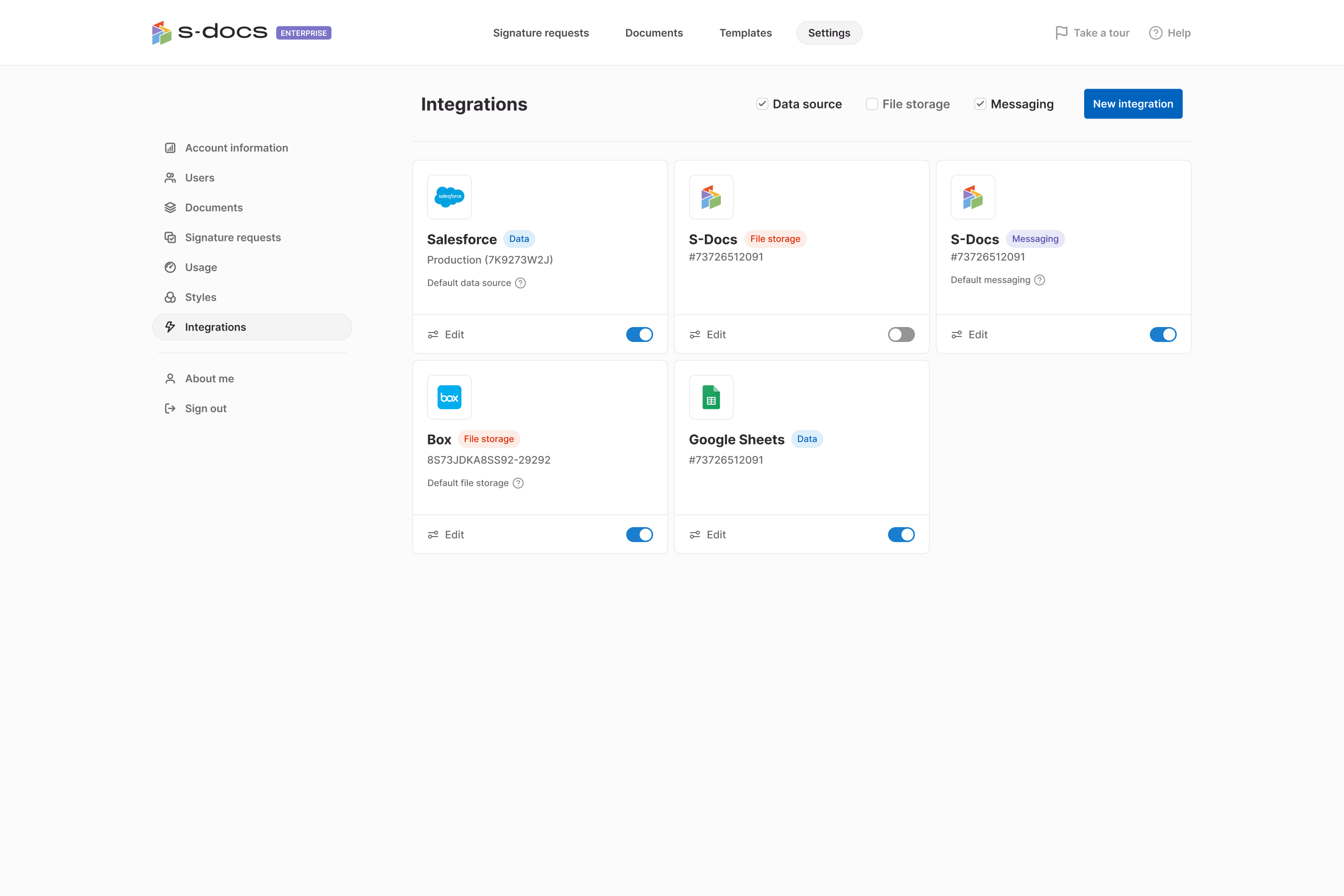
Bring your CRM, cloud storage, communications, and document data into one connected workflow.
box
Dropbox
OneDrive
SendGrid
twilio
Google Drive
Turn Your Static Documents into a Dynamic CRM-Powered Workflow
Convert the documents you already rely on into reusable templates that pull from live CRM data, collect information, capture signatures, and sync the results.